Five Step Webchat to SMS for U.S. Small Businesses, TCPA Compliant
Five Step Webchat to SMS for U.S. Small Businesses, TCPA Compliant
Webchat to SMS takes a conversation that starts in your website’s chat widget and moves it into a real text message thread, so your team can keep talking to a lead by phone even after they leave your site. The payoff is fewer abandoned chats, real phone numbers on file, and faster replies than email. The catch is that U.S. consent rules under the TCPA govern how you collect and use that number.
TL;DR:
- Moving chat conversations to SMS retains leads and allows faster, ongoing communication, especially for time-sensitive follow-ups like appointments or quotes.
- Implementation options include simple hosted widgets for quick setup or API integrations into CRM systems for customized workflows involving multiple team members.
- Strict consent rules require clear disclosures and prompt confirmation texts, with records stored securely to ensure compliance and protect against penalties.
- For international contacts, validate phone number formats and anticipate delivery variations, using alternative channels for high-volume or uncertain delivery regions.
- Tracking response speed, conversion rates, and opt-out trends helps assess if webchat to SMS effectively increases engagement and sales, guiding channel optimization.
Table of Contents
- How the handoff from webchat to SMS actually works
- What this means for lead capture and response rates
- Choosing how to deploy webchat to SMS
- Getting consent right before you send a single text
- Automating follow-up without losing the personal touch
- A five-step checklist to launch webchat to SMS
- Compliance considerations beyond U.S. rules
- Handling international numbers and delivery gaps
- Keeping conversations and phone numbers secure
- Tracking whether webchat to SMS is actually working
- When webchat to SMS makes sense and when it does not
- How Brown Bag Consultants fits into your webchat to SMS plan
- Sources
- FAQ
How the handoff from webchat to SMS actually works
When a visitor starts a chat, the widget usually asks for a name and phone number before or during the exchange. That first message becomes the opening line of an SMS thread, and everything that follows lives in a text conversation instead of a browser tab.
There are two common modes. In a visitor-triggered switch, the person clicks a “text me instead” button and the session moves to SMS immediately. In an agent-initiated push, a team member decides mid-chat that the conversation is better continued by text and sends the switch from their side.
- Hosted widgets route messages through the vendor’s own SMS backend with little setup.
- API-based integrations push chat data into a CRM or unified inbox for teams that need custom routing.
- The visitor sees a normal text thread on their phone, while the agent sees the same conversation inside a dashboard alongside contact history.
Vendor documentation on hybrid webchat, including Textline’s webchat setup guide, walks through both patterns and flags session syncing as the detail most likely to trip up a first implementation.
What this means for lead capture and response rates
The core business case is simple: a chat widget alone loses the conversation the moment someone closes the tab. Moving it to SMS keeps the thread alive, so a visitor who was mildly interested at 9 PM can still get an answer and reply the next morning.
Text messages get read and answered faster than email for most everyday business communication, which is why service businesses lean on SMS for anything time-sensitive: confirming an appointment, sending a quote, or asking for a review after a job is done.
- Capturing a real phone number during chat reduces the number of leads that vanish with no way to follow up.
- Persistent threads mean a conversation can resume days later without starting over.
- Appointment confirmations, quote follow-ups, review requests, and missed-call recovery are the use cases that convert most reliably.
- Track reply rate, time-to-first-response, and how many chats convert to booked jobs or completed sales.
Choosing how to deploy webchat to SMS
Most businesses pick their deployment method based on technical capacity and how much control they need over the customer experience.
- A hosted widget script, dropped into the site with a single line of code, gets you running fastest but limits customization and locks you into the vendor’s inbox.
- An API or SDK integration suits businesses with an existing CRM or a developer on staff who wants chat data routed into custom workflows.
- A unified inbox that syncs chat and SMS into one CRM view matters most once more than one person is answering messages, because context and history stop living in separate places.
Phone number strategy is the other decision point: a shared business number keeps things simple for a single-location shop, a dedicated number supports higher volume without collisions, and per-campaign numbers help larger operations track which source generated which lead.
Pro Tip: Start with a hosted widget to validate demand, then move to API-based routing once volume justifies the engineering time.
Behavioral-signal integrations that connect chat activity with real-time lead routing, as described in this overview of messaging and lead flow, are worth a look once you’re past the basic setup.
Getting consent right before you send a single text
The FCC’s 2024 Report and Order extended Do-Not-Call protections to text messages and tightened the rules around prior express written consent, requiring that consent be specific to the seller and the site where it was collected. That means a checkbox buried in unrelated terms will not hold up, and consent gathered for one purpose cannot be stretched to cover unrelated marketing texts.
FCC document DA-24-910 adds detail on blocking requirements and consent revocation, and it notes that a one-time confirmation text sent within minutes of opt-in is commonly accepted as a way to preserve the consent record.
- Show clear disclosure text on the widget itself, stating what number will text the visitor and why.
- Send a confirmation text promptly after opt-in, ideally within a few minutes, so the consent timestamp lines up with the disclosure shown.
- Honor “STOP” as an opt-out instantly, and offer a phone number or link as an alternate opt-out method if two-way texting is limited.
- Keep a time-stamped record of the exact disclosure text, the number captured, and the session or IP tied to that consent.
Recordkeeping is critical: time-stamped consent records tied to the exact disclosure text shown to the user, the number captured, and the IP or session ID, are what protect a business in a TCPA audit.
A practical rundown of what this means operationally is covered in this TCPA compliance overview for SMS marketers, which is worth reading alongside the FCC text itself.
Automating follow-up without losing the personal touch
Once chat becomes SMS, automation is what keeps the volume manageable. Routing rules can auto-assign a new thread based on intent (a quote request goes to sales, a scheduling question goes to the front desk) or based on which page the chat started on.
- Confirmation templates handle appointment bookings and order receipts automatically.
- Reminder templates cut down on no-shows for scheduled visits.
- Review-request templates go out after a job is marked complete.
- Bots or auto-replies should hand off to a live agent the moment a question gets specific or a visitor sounds frustrated.
- Track response time, conversion from thread to booking, and opt-out rate to see whether automation is helping or annoying people.
A closer look at template types and sequencing for service businesses is in this guide to two-way texting, and the same automation logic applies to missed-call text-back flows.
A five-step checklist to launch webchat to SMS
Getting from zero to a working webchat-to-SMS setup does not require a large project plan, just the right order of operations.
- Decide on a phone number strategy (shared, dedicated, or per-campaign) and pick a unified inbox or CRM that can hold both chat and SMS history.
- Install the widget and write clear, specific consent language, plus a visible way to opt out later.
- Configure the fields you capture (name, number, reason for contact) and match the widget’s look to your site.
- Build your first automation templates: a confirmation, a reminder, and a review request.
- Run a full test conversation from a personal phone, confirm the opt-in record saves correctly, and check that the agent inbox shows full context.
Pro Tip: Test the opt-out flow yourself by texting STOP before you launch. If the system doesn’t confirm it instantly, fix that before sending a single real message.
Automation sequencing for the nurture phase after the first few texts is covered in this lead nurture automation guide.
Compliance considerations beyond U.S. rules
If your chat widget reaches visitors outside the country where your business operates, TCPA is not the only framework in play. The General Data Protection Regulation in the European Union treats a phone number as personal data, which means consent has to be freely given, specific, and easy to withdraw, and you need a lawful basis for storing that number at all.
Other regions layer on their own versions of the same idea: some require an explicit double opt-in before any marketing text goes out, others cap how long you can retain contact data without a fresh consent event. The safest practical approach for a small business is to treat every non-U.S. visitor’s consent as its own event, tied to the specific disclosure shown at that moment, rather than assuming one global consent standard covers every jurisdiction.
Where you are unsure whether a visitor’s location triggers a stricter rule than your own, the more conservative disclosure and shorter retention window is the lower-risk choice. This matters most for businesses that serve travelers, remote customers, or anyone whose contact form does not require a local address.

Handling international numbers and delivery gaps
International phone numbers introduce two separate problems: formatting and delivery. A number typed without a country code will often fail to route at all, so capture fields should validate for the plus-sign country code format before a message ever tries to send.
Delivery itself is inconsistent once you cross borders. Some countries require sender registration before a business number is allowed to text local recipients, and messages sent without that registration can be blocked or filtered as spam by the receiving carrier. Others impose per-message costs that are far higher than domestic SMS, which can make text-based follow-up impractical for high international volume.
For most small and mid-sized businesses, the pragmatic path is to default to SMS for domestic contacts and offer an alternate channel, such as email or a messaging app, for international visitors where delivery reliability is uncertain.
Keeping conversations and phone numbers secure
A webchat-to-SMS system holds two things worth protecting: the phone numbers you collect and the content of the conversations themselves. Both should be treated with the same care as any other customer data your business stores.
Practical safeguards include restricting inbox access to the team members who actually need it, rather than giving every employee visibility into every thread. Contact data should be stored with encryption at rest where your platform supports it, and any integration that pulls chat data into a CRM should use authenticated API connections rather than open webhooks.
Retention policy matters too. Keeping consent records indefinitely for compliance purposes is reasonable, but old conversation content that has no ongoing business purpose is worth purging on a schedule rather than left to accumulate. This also limits your exposure if a data breach ever happens: the less you’re holding, the less there is to lose.
Tracking whether webchat to SMS is actually working
The metrics that matter most for a webchat-to-SMS program are the ones that show whether a conversation turned into a result, not just whether it happened. Response time from first message to first reply is the clearest signal of whether your team or automation is keeping up with volume.
Conversion rate, meaning the share of chat threads that become a booked appointment, a completed sale, or a submitted quote request, tells you whether the channel is paying for itself. Opt-out rate is worth watching closely too: a rising number of people replying STOP usually means your messaging is too frequent, too generic, or started without clear enough consent language.

Compare these numbers against your other channels rather than in isolation. A business that sees SMS threads converting faster than email follow-up has a strong case for shifting more of its follow-up budget toward text, while a channel with a high opt-out rate needs a message-frequency fix before it needs more volume.
When webchat to SMS makes sense and when it does not
A simple widget with a basic switch-to-text button is enough if you’re a single-location business answering your own messages. The moment more than one person needs to see the same conversation, or you need reporting across weeks of leads, a standalone widget starts showing its limits and an integrated CRM earns its keep.
The harder question is operational: can your team actually answer texts promptly, or will automation carry more of the load? Either way, the consent and recordkeeping work has to happen first. Skipping it to launch faster is the one shortcut that comes back to bite you.
— Kentarian
How Brown Bag Consultants fits into your webchat to SMS plan
Running webchat, SMS, a unified inbox, and follow-up templates as separate tools means separate logins, separate bills, and gaps where context gets lost between them. Brown Bag Consultants puts webchat, SMS, a shared inbox, and automated templates in one place, so a lead who starts in chat and ends in a text thread stays visible to your whole team without anyone re-asking for details they already gave.
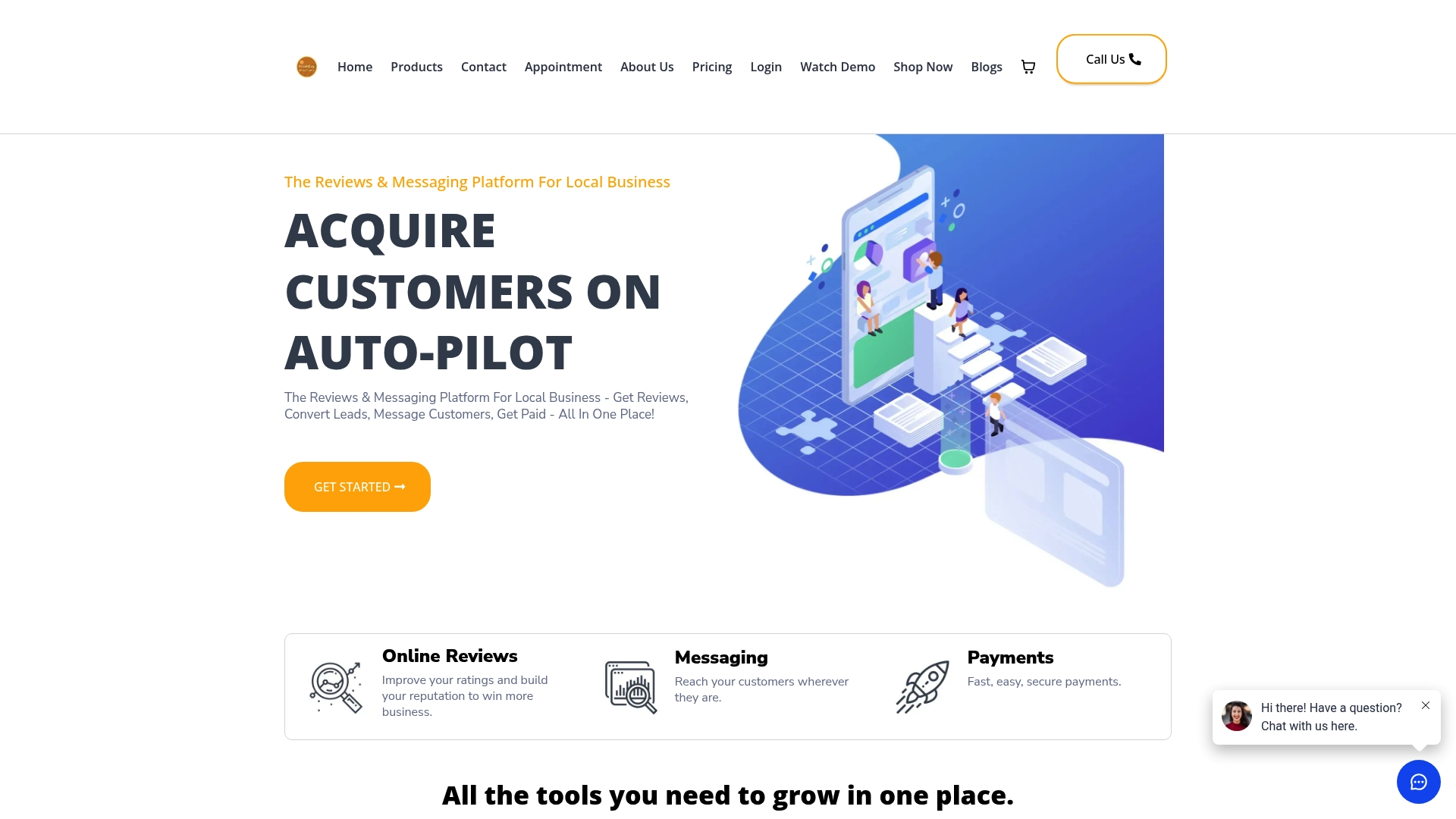
- Webchat and SMS share one inbox, so the checklist steps above (capture, routing, templates) live in a single dashboard.
- Review requests and payment collection run through the same messaging thread as the original chat.
- Missed-call text-back is built in, so a call that goes unanswered still gets a text follow-up automatically.
| Plan | Monthly price | Best fit |
|---|---|---|
| Essentials | $197 | Businesses starting with webchat, SMS, and basic automation |
| Professional | $297 | Businesses adding deeper automation, reviews, and payments |
Check the pricing page for full plan details, or start a trial to see how a chat-to-SMS setup looks with everything already connected.
Sources
- Federal Register: Strengthening Consumer Protections Against Unwanted Robocalls Report and Order (FR-2024-01-26)
- FCC document DA-24-910
FAQ
How can I access my SMS messages from the web?
Most business SMS platforms, including unified inbox tools, let you read and reply to text messages from a web dashboard instead of a phone. You log into the platform’s inbox, where texts appear alongside webchat and other message channels in one thread.
What is SMS chat?
SMS chat refers to a text-message-based conversation between a business and a customer, often started from a webchat widget and continued as a standard text thread. It combines the immediacy of chat with the persistence of SMS, since the conversation stays accessible even after the customer leaves the website.
How do I access live chat?
Live chat is typically accessed through a widget embedded on a business’s website, usually a button in the corner of the screen that opens a chat window. Some businesses also offer a “text us” option that starts the same conversation as an SMS thread instead of an in-browser chat.
How do I send SMS from a web chat conversation?
You need a webchat tool that supports SMS handoff, either through a visitor-triggered switch button or an agent-initiated push to text. Once connected, the platform sends the message to the visitor’s phone as a standard text, and replies flow back into the same conversation thread in your inbox.